
What is Rules?
Persistent instructions in `.cursor/rules` that shape how the AI behaves across the whole project. They encode your standards so you do not repeat them in every prompt.
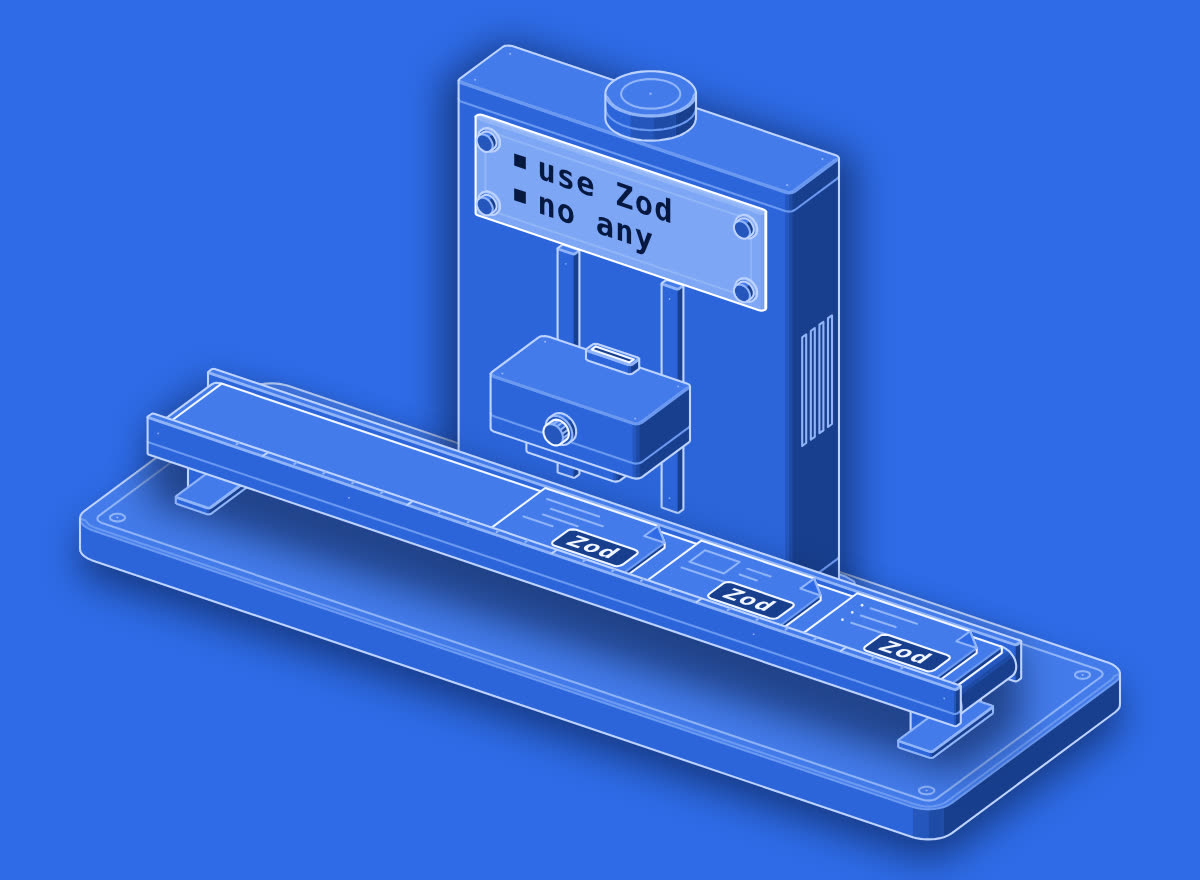
set once · every job follows
Cursor Rules are stored in...
Write it in your own words in the app.
In real work
Add to Rules: always use Zod for API validation. Never use any instead of typed interfaces. Apply to all new files.
In the illustration
Three different jobs pass through in turn; each time the head reads the bolted plate first (use Zod, no any), and each finished card comes out with the same Zod stamp.
Add a rules file in your coding agent that says: SwiftUI only, no force unwraps, every new view gets a preview, and tests use Swift Testing.
Try it now
The fastest way to learn a word is to use it. Open this line in the agent you already work in and watch what it does. Change the tool to the one you use.
Go further
01Practice
Make it stick
One term a day, a short quiz, and sentence practice that checks your own words.
02Verify
Prove you know it
Pass the quiz and keep it in a Skills Wallet you can share with anyone who needs proof.
03Career
Find the work that uses it
See which roles lean on this vocabulary, and what they pay in year one.
More in Using AI
All terms →



Learn the next term tomorrow.
Google gives a definition. Prompthaus pairs each term with how it shows up in standups, PRs, prompts, and design reviews. Then it quizzes you until the word sticks. One term a day on iPhone.
